Export Data from Access to Excel
Ratings:  (1 votes, average: 5.00 out of 5)
 Loading…
http://www.consultdmw.com/export-access-data-to-excel.html
ReDim Limitations:
1. ReDim only for Dynamic Array, not Static Arrays
Example: Dim MyArray() as integer ‘ Ok
ReDim MyArray(3)
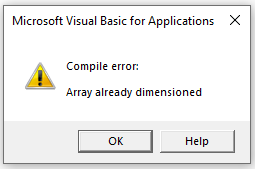
Dim MyArray(2) As Integer ‘Declare as Static Array
ReDim MyArray(3) ‘This will cause an error
Collection with SET NEW
Sub dmwExport(query$, path$)

	On Error GoTo errHandler

	Dim xlApp As Object
	Dim wkbk As Object
	Dim msg$

	DoCmd.TransferSpreadsheet _
	TransferType:    = acExport, _
	SpreadsheetType: = acSpreadsheetTypeExcel12Xml, _
	TableName:       = query$, _
	Filename:        = path$, _
	HasFieldNames:   = True

	Set xlApp        = CreateObject("Excel.Application")

	With xlApp
		.Visible = True
		Set wkbk = .Workbooks.Open(path$)
	End With

	procDone:
		Set wkbk  = Nothing
		Set xlApp = Nothing
	Exit Sub

	errHandler:
		msg$ = Err.Description
		MsgBox msg$, vbExclamation, "Unanticipated Error"
		Resume procDone
	End Sub
Output:
MyArray(0):zero MyArray(1):one MyArray(2):two
Tags: data base connection